Food Delivery in Korea: Apps & Address Guide
Sep 30, 2026
One of the most convenient parts of living in Korea is being able to have a wide variety of food delivered right to your door.
However, if you are new to Korea, ordering food delivery for the first time may feel more difficult than expected. You may not know which delivery app to use or how to read and enter a Korean address.
This guide will go through the basic steps so you can order food delivery in Korea on your own with confidence.
Results near your current location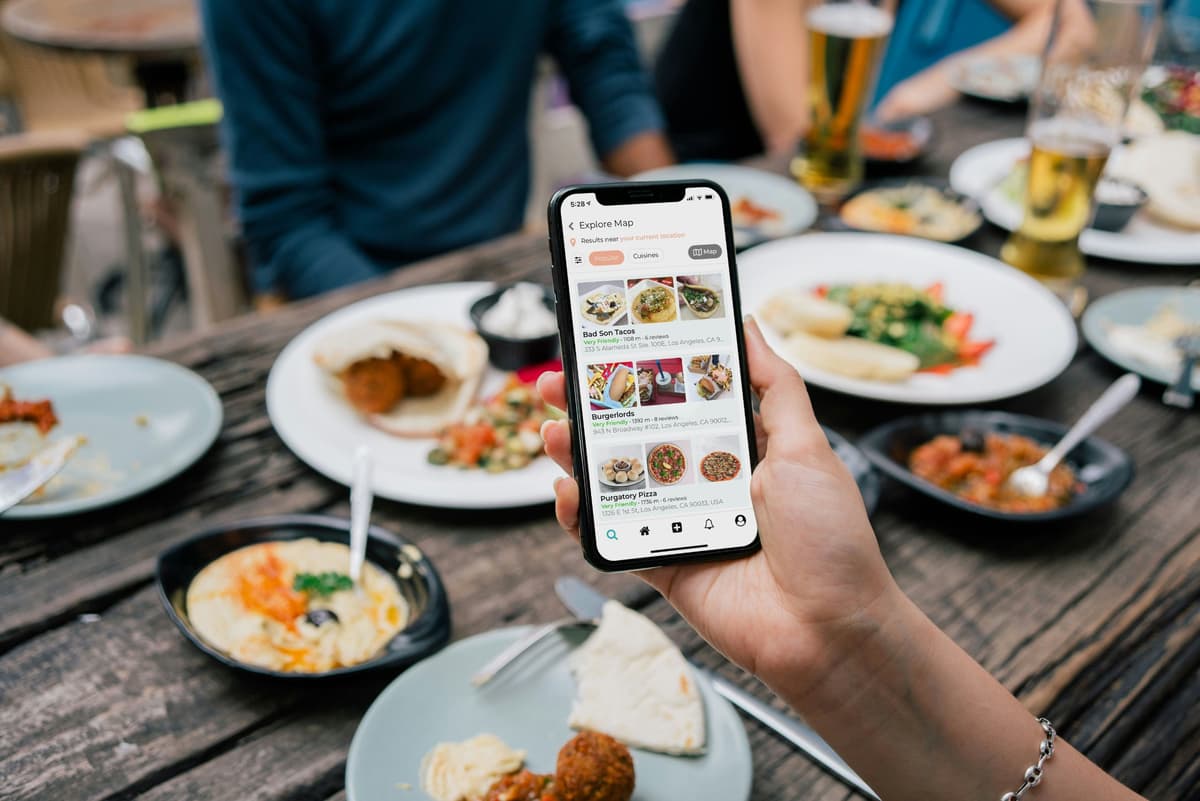
Explore Map
Filters
Restaurant Name Rating/Distance Address Bad Son Tacos Very Friendly · 1108 m · 6 reviews 333 S Alameda St Ste 100E, Los Angeles, CA 9... Burgerlords Very Friendly · 1392 m · 8 reviews 943 N Broadway #102, Los Angeles, CA 90012... Purgatory Pizza Very Friendly · 1736 m · 6 reviews 1326 E 1st St, Los Angeles, CA 90033, USA
1. Start with Korea’s Popular Food Delivery Apps
Some of the most well-known food delivery services in Korea are Baemin (배달의민족) and Coupang Eats (쿠팡이츠). Baemin also operates a separate global page for international users, making the service easier to access for those who are not familiar with Korean.
The exact layout may differ depending on the app, but the basic ordering process is usually similar.
Set your delivery address → Choose a restaurant → Select your menu and options → Review your order → Choose a payment method → Place your order
The first thing you need to set up correctly is your delivery address.
The app uses your address to show restaurants that can deliver to your area, and the delivery driver also relies on this information to find your location.
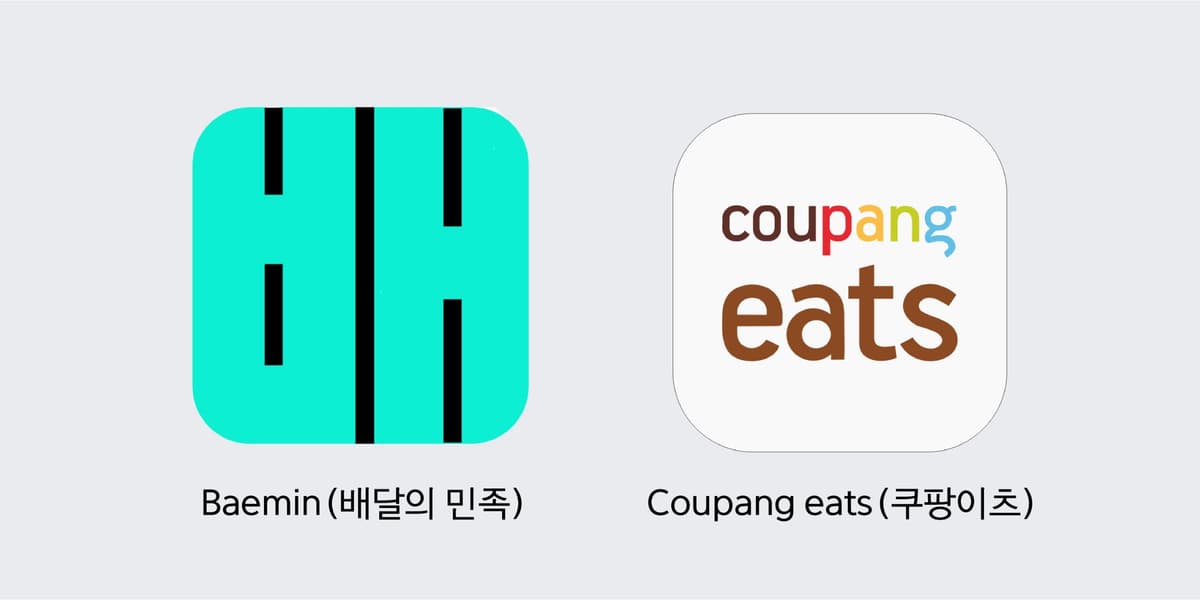
App Icon App Name Baemin Logo Baemin (배달의 민족) Coupang eats Logo Coupang eats (쿠팡이츠)
2. How Do Korean Addresses Work?
Korean addresses may look complicated at first, but they become much easier once you understand the basic structure.
A Korean address usually follows this order:
City/Province → City/County/District → Road Name → Building Number → Detailed Address
Korea mainly uses the 'road-name address system', but people still often refer to areas by their neighborhood name, such as “○○-dong,” in everyday conversation. For example, Seogyo-dong is a neighborhood name, while Yanghwa-ro is a road name. A road-name address would look like Yanghwa-ro 00.
When using a delivery app, searching by your road-name address or building name is usually the easiest option.
For example:
Seoul, Mapo-gu, World Cup buk-ro 00, Building 101, Unit 502
can be understood as:
- Seoul: City/Province
- Mapo-gu: District
- World Cup buk-ro 00: Road name and building number
- Building 101, Unit 502: Detailed address
Now, let’s look at how to enter your address depending on where you are staying.
① Apartment
Seoul, ○○-gu, ○○-ro, ○○ Apartment, Building(동) 101, Unit(호) 502
→ Enter the apartment name + building number + unit number
In Korean apartments, Building(동) usually refers to the building number, while Unit(호) refers to the individual unit.
② Studio, Villa, or Officetel
Seoul, ○○-gu, ○○-ro, ○○ Villa/Officetel, Unit 302
→ Many buildings do not have a separate building number, so enter the building address + unit number
→ If the building has a name, include it to make the location easier to find.
③ Hotel or Residence
Seoul, ○○-gu, ○○-ro, ○○ Hotel, Lobby Pickup
→ Enter the exact road-name address and hotel name
→ Some hotels do not allow delivery directly to guest rooms, so check whether you need to receive your order in the lobby.
④ Picnic at Hangang Park or Another Outdoor Area
Delivery Location: Near the convenience store by Yeouinaru Station Exit 2
→ Check your current location pin on the map
→ Choose an easy-to-find meeting point such as a convenience store, parking lot, park entrance, delivery zone, or landmark
→ Give the driver a clear meeting location
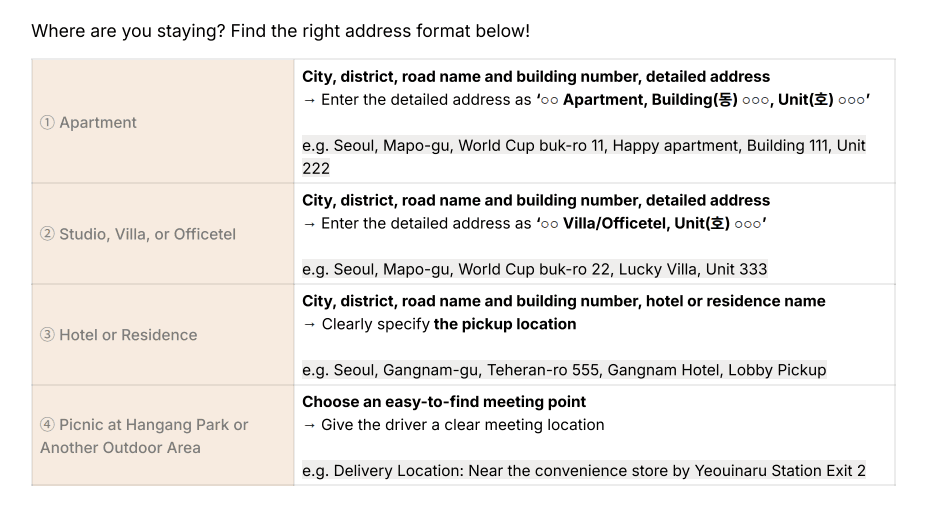
Where are you staying? Find the right address format below!
Accommodation Type Address Format & Instructions Example ① Apartment City, district, road name and building number, detailed address
→ Enter the detailed address as '○○ Apartment, Building(동) ○○○, Unit(호) ○○○' e.g. Seoul, Mapo-gu, World Cup buk-ro 11, Happy apartment, Building 111, Unit 222 ② Studio, Villa, or Officetel City, district, road name and building number, detailed address
→ Enter the detailed address as '○○ Villa/Officetel, Unit(호) ○○○' e.g. Seoul, Mapo-gu, World Cup buk-ro 22, Lucky Villa, Unit 333 ③ Hotel or Residence City, district, road name and building number, hotel or residence name
→ Clearly specify the pickup location e.g. Seoul, Gangnam-gu, Teheran-ro 555, Gangnam Hotel, Lobby Pickup ④ Picnic at Hangang Park or Another Outdoor Area Choose an easy-to-find meeting point
→ Give the driver a clear meeting location e.g. Delivery Location: Near the convenience store by Yeouinaru Station Exit 2
3. How to Enter Your Address in a Delivery App
First, search for the road-name address of the place where you are staying. Then enter the building name and building/unit number in the detailed address field.
For example:
Address:
Seoul, Mapo-gu, World Cup buk-ro 00
Detailed Address:
○○ Residence, Building 101, Unit 502
Before saving the address, make sure the map pin is placed on the correct building or entrance. In areas with many similar-looking buildings, even a small address mistake can send the driver to the wrong location.
4. Don’t Forget Building Entrance Information and Delivery Requests
Even after the driver arrives near your building, they may still need additional information to complete the delivery.
Many apartments, officetels, and some studio buildings in Korea have a shared building entrance before reaching the individual unit. If special entry instructions are needed, add them to the delivery request section.
If you are ordering while having a picnic at Hangang Park or another outdoor location, give the driver a clear meeting point that is easy to find.
Useful delivery requests include:
Please leave it at the door.
문 앞에 놓아주세요.
Please call me when you arrive.
도착하면 전화해주세요.
I’ll meet you on the first floor.
1층에서 받을게요.
Please call me when you arrive. I’ll meet you at the park entrance.
도착하면 전화해주세요. 공원 입구에서 받을게요.
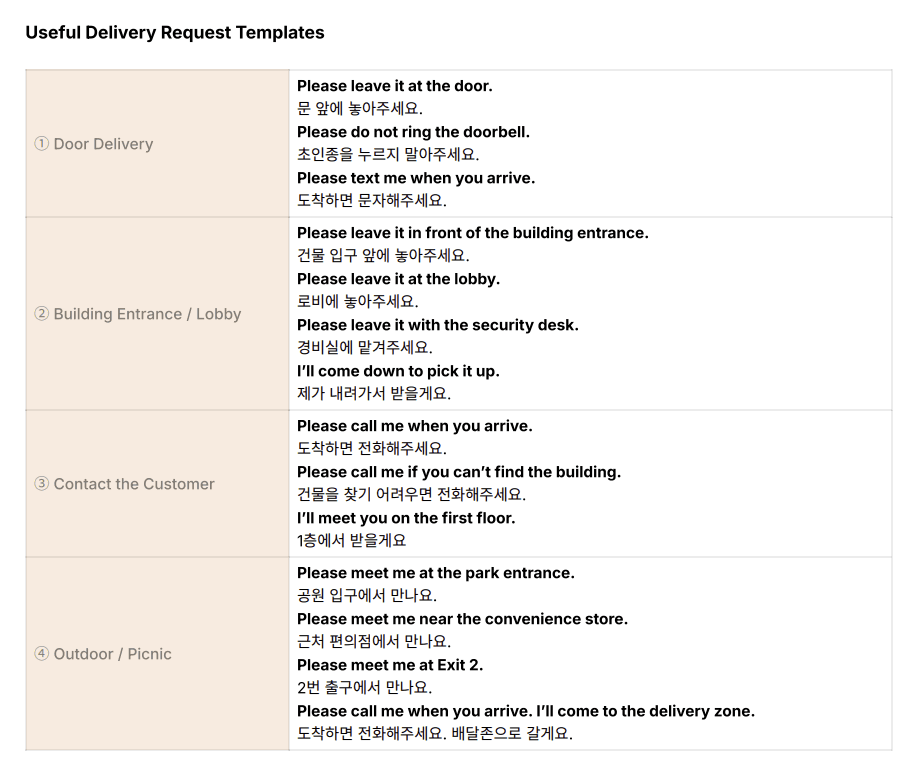
Useful Delivery Request Templates
Category Templates ① Door Delivery Please leave it at the door.
문 앞에 놓아주세요.
Please do not ring the doorbell.
초인종을 누르지 말아주세요.
Please text me when you arrive.
도착하면 문자해주세요. ② Building Entrance / Lobby Please leave it in front of the building entrance.
건물 입구 앞에 놓아주세요.
Please leave it at the lobby.
로비에 놓아주세요.
Please leave it with the security desk.
경비실에 맡겨주세요.
I'll come down to pick it up.
제가 내려가서 받을게요. ③ Contact the Customer Please call me when you arrive.
도착하면 전화해주세요.
Please call me if you can't find the building.
건물을 찾기 어려우면 전화해주세요.
I'll meet you on the first floor.
1층에서 받을게요 ④ Outdoor / Picnic Please meet me at the park entrance.
공원 입구에서 만나요.
Please meet me near the convenience store.
근처 편의점에서 만나요.
Please meet me at Exit 2.
2번 출구에서 만나요.
Please call me when you arrive. I'll come to the delivery zone.
도착하면 전화해주세요. 배달존으로 갈게요.
Also, remember that shared building entrance information is different from your private door-lock password. Avoid sharing your personal room or apartment password unless it is absolutely necessary.
5. Final Check Before You Order
Before tapping the order button, check your address information one more time.
- Is the road-name address correct?
- Is the building or unit number correct?
- Is the map pin in the correct location?
- Did you include any necessary entrance or meeting instructions?
- Is your phone number registered correctly in case the driver needs to contact you?
It may feel unfamiliar at first, but once you save your address correctly, your next order will be much easier.
With your address properly set up, all that is left is choosing what you want to eat. Enjoy exploring Korea’s wide variety of food delivery options!